Pushkey: Push Up App Blocker
Lock your most distracting apps. Do a set of push-ups to earn screen time back.
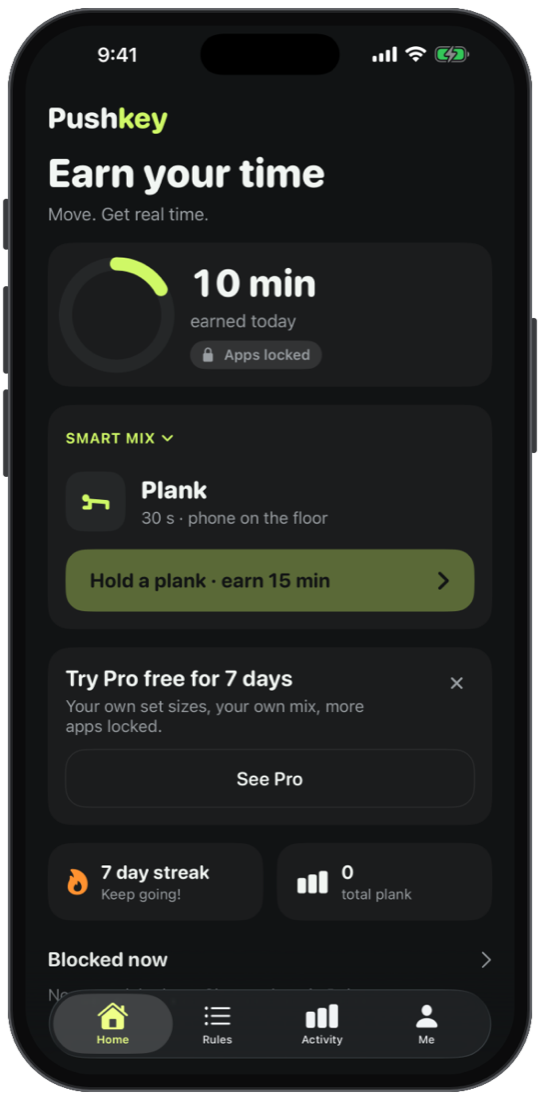
Turn Scrolling Into Reps
Every time you reach for a locked app, you choose: put the phone down, or earn it with a quick set. Either way you win.
Counting You Can't Cheat
Pushkey watches your whole body, not just your arms. Half reps, rushed reps and arm-only bobbing are counted as no-reps, so earned minutes mean real work.
Private by Design
Your camera is analysed on the iPhone and never recorded. No account, no analytics, no ads. Your history stays on your phone.
Move to unlock, in 30 seconds.
Open a locked app, do a quick set, and the minutes you earn open it again. Every rep is counted on your iPhone.
Four steps to earned screen time.
Set it up once. After that, every locked app is one set away.
Pick What to Lock
Choose the apps that eat your time. Pushkey uses Apple's Screen Time, so it only ever sees private tokens, not what you do in them.
Set Your Price
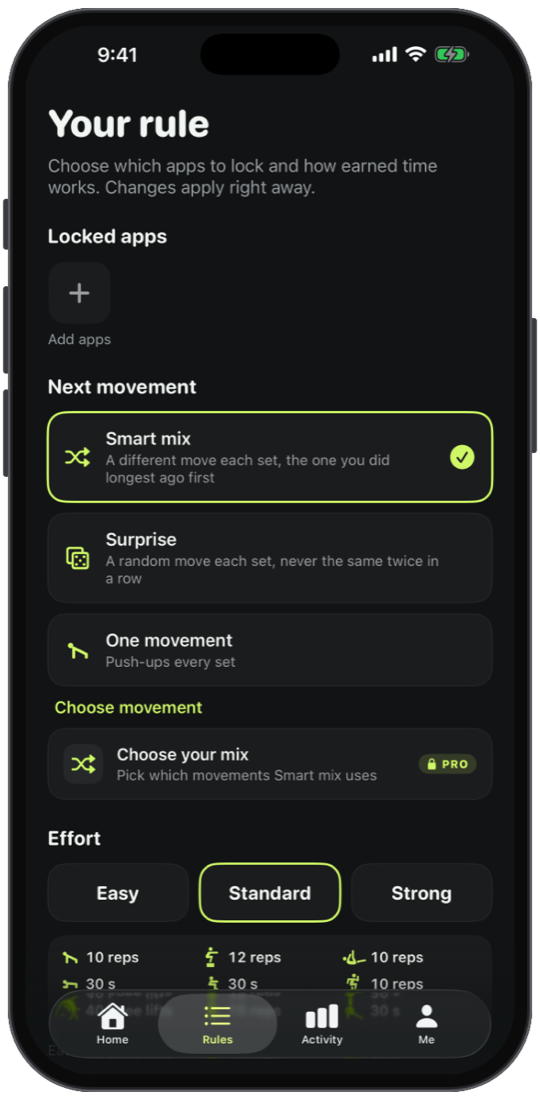
Choose an Effort (Easy, Standard or Strong) and how many minutes a set earns, plus a daily limit.
Do the Set
Open a locked app and tap the shield. Pushkey opens the camera, shows a short guide for the movement and counts your reps.
Use Your Minutes
Your apps unlock for the minutes you earned. When they're spent, the apps lock again until your next set.
Lock the apps that steal your day
Pick apps and categories with Apple's Screen Time picker, then set the price: which movement comes next and how hard each set is. When you open a locked app, Pushkey's shield offers a set instead of a scroll.
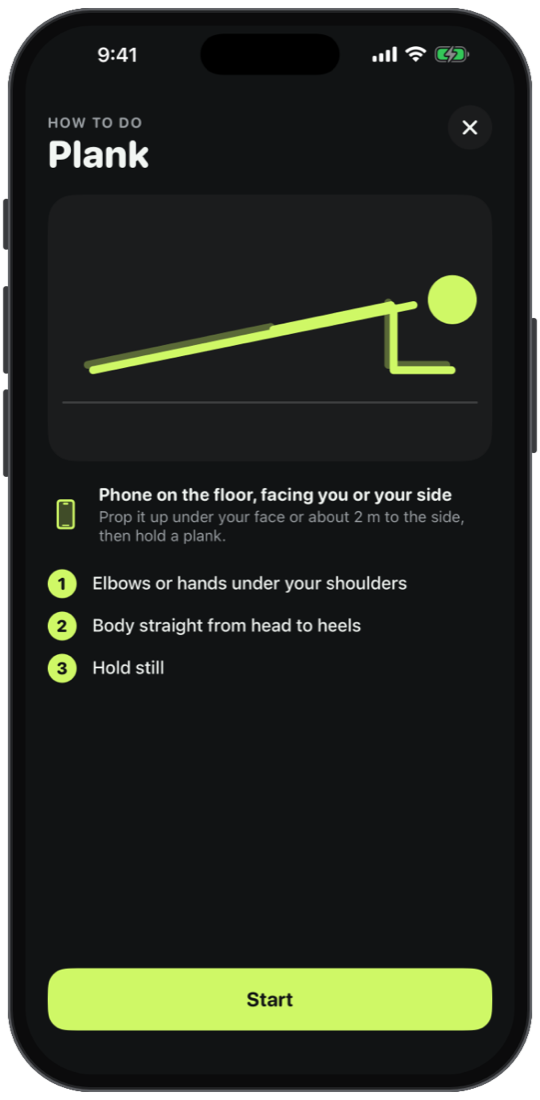
A coach for every movement
Each movement starts with a short guide: where to put the phone and what counts. Then Pushkey counts each full rep with a tick, flags no-reps with a reason, and coaches holds like plank and squat hold.
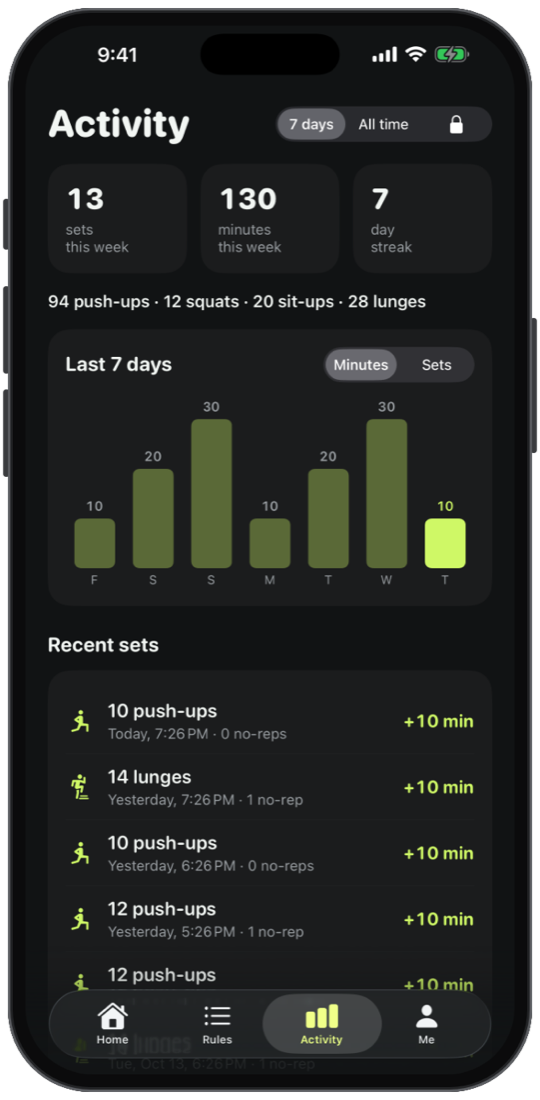
Watch your week add up
Activity shows your sets, reps, earned minutes and streak. Earned time only counts down while you use your locked apps; when it runs out, or at midnight, they lock again.
Why a dedicated tool matters.
Comparing scattered camera rolls and fading paper against an immutable audit record.
Without Pushkey
- Screen time limits you dismiss with one tap
- "Just five more minutes" that turns into an hour
- Workouts you plan but never start
- Rep counters fooled by half reps
With Pushkey
- Locked apps that open only after real effort
- Earned minutes that tick down while you use them
- A few sets a day, built into your habits
- Full-body counting that rejects half reps
- On-device camera, no account, no tracking
Simple, honest pricing.
No monthly subscriptions or predatory locking. Start free on the App Store, and unlock lifetime power features with a single one-time upgrade.
Free
Everything you need to earn your screen time.
- All 9 movements with full rep counting
- Easy, Standard and Strong Effort
- Smart mix and Surprise movement order
- One rule with up to 3 apps or categories
- Daily limit on earned minutes
Pushkey Pro
More control for people who've made it a habit.
- Custom set sizes
- Choose which movements your mix uses
- Lock as many apps and categories as you like
- Full workout history
Built for privacy & resilience.
How Audio Immersia structures data, offline performance, and security under the hood.
iPhone, iOS 17.0 or later
Apple's Family Controls, Managed Settings and Device Activity frameworks
Apple Vision body pose detection, run on the iPhone in real time
Front camera while a set runs; frames are analysed in memory and discarded
History stored on the iPhone only; no account, no sync
No trackers, no analytics SDKs, no advertising identifiers, no data collection
 A NOTE FROM THE STUDIO
 Built by a studio that tests everything on itself
We built Pushkey because every screen time limit we tried was one tap away from being ignored. We tested every movement on our own phones, and tried to cheat each one, before shipping it.
Product & privacy details.
How does Pushkey block apps?
Pushkey uses Apple's Screen Time framework. You pick apps or categories in Apple's own picker, and iOS shows Pushkey's shield when you open them. Pushkey never sees which apps you picked or what you do in them.
Is the camera recording me?
No. While a set runs, each camera frame is analysed on your iPhone to find your body's position, then thrown away. Nothing is saved or uploaded.
Which exercises does it count?
Push-ups, squats, sit-ups, lunges, march and arm raises are counted as reps. Plank, squat hold and stretch are timed holds, with a coach that pauses the clock when your form slips.
Can I cheat it?
We tried hard. Pushkey checks your whole body, so half reps, arm-only bobbing and rushed reps count as no-reps and earn nothing.
How do earned minutes work?
A set earns minutes. They only count down while you use your locked apps, so closing the app saves the rest. When they're spent, or at midnight, the apps lock again.
How much does Pushkey cost?
Pushkey is free, with every movement included. Pushkey Pro adds custom set sizes, your own movement mix, unlimited locked apps and full history for $24.99 a year with a 7-day free trial, $4.99 a month, or $39.99 once.
Who makes Pushkey?
Pushkey is designed, built and maintained by Audio Immersia LLP.
Download Pushkey: Push Up App Blocker today.
Engineered for reliability, privacy, and frictionless daily utility.